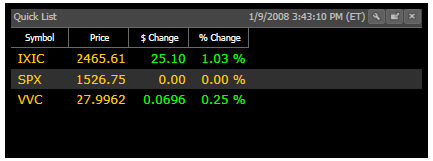
QuickLists display the price, dollar and percent change for a customizable list of stocks and indices.
Right-clicking on any stock in the QuickList enables you to choose from a menu of options that include: View Stock News, View Historical Data, View Stocks in Industry Group, View Stocks in Business Sector, View Industries in Business Sector, QuickTest, Add To Watchlist, Delete Item, View Stock Graph, View Industry Graph, and View Sector Graph.
A stock may also be dragged from the QuickList and dropped into any viewable WatchList, MiniGraph, Newsfeed, or even another QuickList.
This Gadget is customizable. Left-clicking the Settings Icon allows you to add their own selections to the list.
Symbols can be removed from the QuickList by right-clicking on the symbol, and selecting "Delete Item"..